
Live Wallpapers - VibeWalls
Hong Kong Mishi Technology Co., LimitedPersonalization
4.7563.00 Reviews
- Version
- 1.0.98
- Installs
- 100.00K
- Age Rating
- Everyone
Screenshots
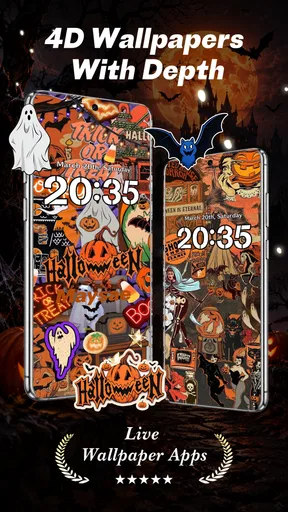
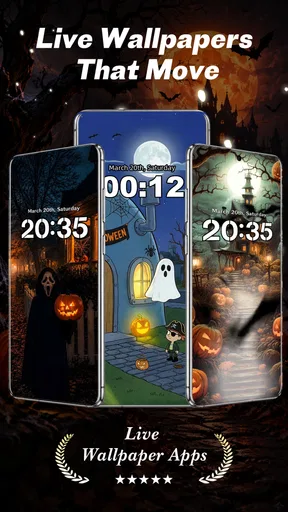
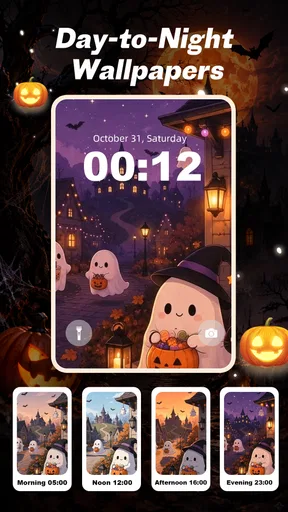
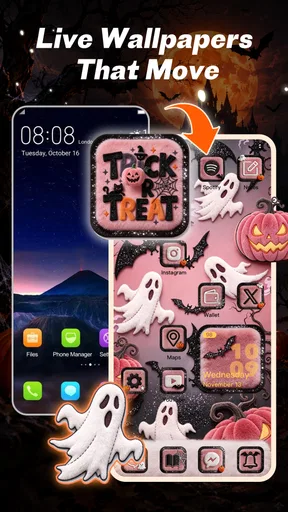
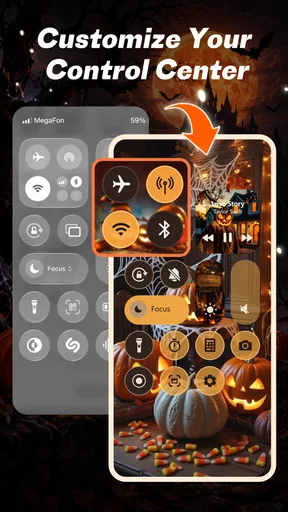
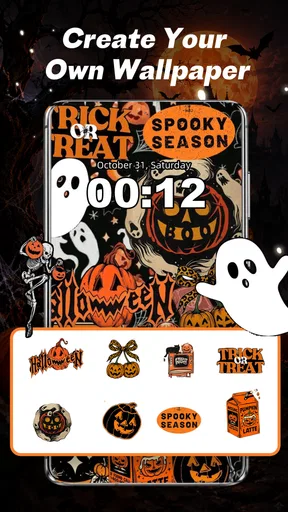
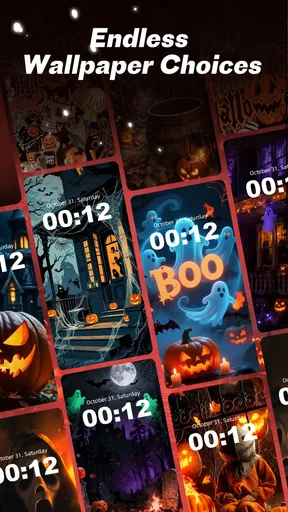
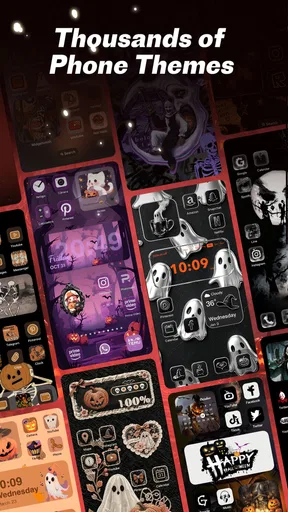
Our Review of Live Wallpapers - VibeWalls
 Analysis by Appyee
I judge a personalization app by whether it helps me make a phone feel more like mine without turning a simple change into a project. VibeWalls-Live Wallpaper&Theme has an appealing idea at its core: let me refresh the screen with moving imagery and widgets, then make that setup fit my taste. Its main strength is the promise of an expressive home-screen refresh; its main caveat is that anyone expecting a carefully documented, deeply configurable design suite may want to keep expectations modest.
A screen refresh that stays personal
VibeWalls is a free personalization app from Hong Kong Mishi Technology Co., Limited. It is rated for Everyone, and its current version is 1.0.16. The app has a 4.5 average from around 110 ratings, with over 10,000 installs. Those figures suggest that people are finding it, but they don’t tell me whether a particular wallpaper will suit my screen or how much choice I’ll personally enjoy. I’d treat them as context, not a guarantee.
The appeal is easy to understand: a wallpaper is one of the most visible parts of a phone, yet it is also one of the easiest things to leave unchanged for months. A live design can make the home screen feel less static, while a widget can add a more deliberate finishing touch. I like that combination as a way to make a device feel refreshed without replacing apps, reorganizing everything, or committing to a full launcher overhaul.
Where the idea works best
For me, the most useful way to approach a live-wallpaper app is to start with the phone’s actual job. If I use the home screen mostly to reach a handful of everyday apps, a restrained background can add character without competing with icons. If I keep several widgets in view, I’d choose an image with enough quiet space behind them. That small choice often matters more than picking the most dramatic animation: visual movement is enjoyable, but a background should still let the screen remain readable.
Widgets also change the decision. They can help a layout feel composed rather than like a wallpaper placed behind a crowded grid. I’d decide which information I genuinely want at a glance before adding decorative elements; otherwise, personalization can become another layer of clutter. This is the kind of app I’d use to make one considered change, live with it for a few days, and adjust only if the screen feels harder to use.
Good reasons to try it, and reasons to pause
The app is a natural fit for someone who enjoys changing the look of a phone to match a season, a mood, or a new case. It may also suit people who want their home screen to feel more individual but don’t want to spend an evening rebuilding every part of the interface. A calm scene can make a familiar device feel less repetitive; a more colorful choice can give a plain layout some personality. In either case, the value is personal rather than essential.
I’d be more cautious if I prefer a completely still background, keep my phone on a strict battery routine, or want precise control over every visual detail. Live imagery is a trade-off: movement brings atmosphere, but it can also be distracting, especially when the screen is already busy. I wouldn’t assume that every option is equally light on resources just because an app is designed for phones. If battery life, accessibility, or an uncluttered screen comes first, a static wallpaper and a simple widget setup may be the better choice.
Cost, fit, and a sensible first try
The app is free to install, with optional in-app purchases ranging from $0.49 to $19.99 per item. That makes it reasonable to explore before deciding whether any paid extras are worth it, but I’d check the price of an individual item before tapping through a purchase. If I’m unsure, I’d begin with what is available without paying and see whether I like the overall look and workflow first.
VibeWalls is an Android app with a minimum operating-system requirement of Android 7.0. I would not count on it being an iOS option: the platform support matters more than a general promise of customization. Compared with the usual alternatives, it sits between choosing a static image from a phone’s built-in wallpaper settings and installing a launcher that changes much more of the interface. The built-in route is simpler and quieter; a launcher is a better fit for someone who wants to alter icons, grids, and navigation as well. VibeWalls makes the most sense when the goal is a visual refresh centered on wallpaper and widgets, rather than a full redesign.
A realistic way to use it
Imagine opening your phone in the morning to check the day’s plans, then returning to the same screen dozens of times between messages and errands. I’d pick a wallpaper that looks good at a glance but leaves the app labels easy to distinguish, then add only the widget that helps with that routine. If the animation draws my eye every time I unlock the phone, I’d switch to something calmer or go static. That is a practical test, not just an aesthetic one: the best setup is the one I still find comfortable after the novelty wears off.
Before settling on a design, I’d also check how it looks behind my most-used icons and whether its colors work with the screen’s overall layout. A wallpaper can look striking on its own and feel awkward once the home screen is in place. I’d save a preferred arrangement before experimenting further if the app and device make that possible, and I’d avoid making several changes at once; otherwise, it becomes hard to tell which choice improved the screen. Those small habits make personalization less fiddly and help keep a useful setup from becoming a constant project.
What to expect from everyday use
A common concern with live wallpapers is battery use. I wouldn’t promise that any moving background has no effect on power, since actual impact can depend on the device and how often its screen is active. My practical advice is to try one design during an ordinary day and pay attention to whether the phone still fits your usual routine. If you notice a meaningful change or simply dislike the movement, switching to a static background is an easy way to prioritize battery or calm.
The same cautious approach applies to performance and compatibility. The app’s Android requirement gives a useful baseline, but phones can differ in how they handle visual effects and home-screen widgets. I’d check that the design looks right on my own device rather than assuming another person’s setup will behave identically. The Everyone age rating makes the app broadly suitable in terms of its content classification, while the purchase prompts are still worth checking if a child will be choosing designs.
How it compares with other personalization choices
Static wallpapers remain the straightforward choice: they are familiar, easy to browse in a phone’s settings, and don’t add motion. They are better for someone who wants a dependable background and has no interest in changing the feel of the screen. A launcher, by contrast, can reshape the broader interface, which is useful for people who want to reorganize icons or change how they move around the phone. That extra reach also means more setup than many people need.
VibeWalls occupies the middle ground. Its focus on live backgrounds and widgets offers more personality than a single still image while keeping the goal narrower than replacing the launcher. I’d choose it if I want the display to feel fresher but still want my familiar layout. I’d skip it if “personalization” means a complete overhaul, or if I only want to set one plain background and never think about it again.
What’s the Buzz About?
First things first, VibeWalls-Live Wallpaper&Theme is all about customization. It offers a wide range of live wallpapers and themes that are both dynamic and visually stunning. From calming nature scenes to vibrant abstract designs, there's something for everyone. And the best part? The app updates its library regularly, so there's always something new to explore.
Seamless User Experience
Now, I know what you’re thinking—"Isn’t a live wallpaper going to drain my battery?" Surprisingly, the app is optimized to be easy on your phone's resources. The interface is intuitive, and setting up your new wallpaper is as easy as pie. Just a few taps, and voila! Your phone looks like a million bucks.
Dive into Customization
Customization is at the heart of this app. Not only can you choose from a plethora of live wallpapers, but you can also tweak them to match your mood or the time of day. Feeling a little artsy? Switch it up with a geometric design. Want to chill out? Opt for a serene landscape. The options are nearly endless.
Compatibility and Performance
One of the things I love about this app is its compatibility. Whether you’re on Android or iOS, VibeWalls runs smoothly across both platforms. I noticed that the app doesn’t cause any noticeable lag or slowdowns, which is a huge plus. It seems the developers have put a lot of effort into ensuring the app runs seamlessly.
Community and Updates
Another cool feature is the community aspect. Users can share their own designs and themes, making the app a dynamic platform for creativity. Plus, the developers are pretty active, rolling out updates and new features regularly. It's always nice to see an app that keeps evolving and listening to its user base.
Is It Worth It?
So, should you give VibeWalls-Live Wallpaper&Theme a go? If you're someone who loves personalizing your gadgets, then absolutely! The app offers a delightful escape from the mundane, allowing you to express your unique style effortlessly.
In conclusion, VibeWalls-Live Wallpaper&Theme is a fantastic addition to your app collection. It’s user-friendly, offers a wide range of stunning designs, and doesn’t hog your phone’s resources. After trying it out, my phone feels like a new device, and I’m constantly looking forward to the next update. Go ahead, give it a whirl, and let your phone's personality shine through!
Privacy and Permissions
See what permissions an app requests and how it handles your data.
- Device & app history
- retrieve running apps
- Identity
- find accounts on the device
- Contacts
- find accounts on the device
- Location
- approximate location (network-based)
- Phone
- read phone status and identity
- Photos/Media/Files
- read the contents of your USB storage, modify or delete the contents of your USB storage
- Storage
- read the contents of your USB storage, modify or delete the contents of your USB storage
- Camera
- take pictures and videos
- Microphone
- record audio
- Wi-Fi connection information
- view Wi-Fi connections
- Device ID & call information
- read phone status and identity
- Other
- view network connections, pair with Bluetooth devices, change network connectivity, disable your screen lock, full network access, change your audio settings, run at startup, reorder running apps, set wallpaper, draw over other apps, control vibration, prevent device from sleeping, modify system settings, toggle sync on and off, set an alarm, install shortcuts, uninstall shortcuts, Google Play license check
Verdict
Strengths of Live Wallpapers - VibeWalls
- Wide variety of dynamic themes.
- Easy-to-use interface.
- Regular updates with new content.
- Minimal impact on battery life.
- Supports high-resolution displays.
Limitations of Live Wallpapers - VibeWalls
- Limited free themes available.
- Ad-heavy for free users.
- No offline mode for updates.
- Customization options are basic.
- Requires stable internet connection.
Similar Picks in This Category
View All
Microsoft SwiftKey AI Keyboard
SwiftKey4.3

Wallpapers
Google LLC4.1

Zedge™ Wallpapers & Ringtones
Zedge4.7

Yandex Browser with Alice AI
Direct Cursus Computer Systems Trading LLC4.3

Ringtone Maker:create ringtone
Big Bang Inc.4.7

Fonts Keyboard
Fonts Keyboard3.9
Frequently Asked Questions
What features does VibeWalls-Live Wallpaper&Theme offer?
VibeWalls-Live Wallpaper&Theme provides a vast collection of high-quality live wallpapers and themes that can be customized to suit individual preferences. Users can explore different categories, such as nature, abstract, and technology, to find the perfect aesthetic for their device. The app also includes interactive elements and regular updates to keep the content fresh.
How does VibeWalls affect battery life on my device?
Live wallpapers can consume more battery than static images because they are constantly running in the background. However, VibeWalls is designed to be efficient, minimizing battery usage through optimized animations and resource management. Users can adjust settings to further reduce battery impact if needed.
Is VibeWalls compatible with all Android and iOS devices?
VibeWalls is designed to be compatible with most modern Android and iOS devices. However, performance may vary depending on the model and operating system version. It is recommended to check the app store listing for specific compatibility information to ensure optimal performance on your device.
Are there any in-app purchases or subscriptions in VibeWalls?
Yes, VibeWalls offers in-app purchases and subscription options. While the app provides a selection of free wallpapers and themes, premium content and features are accessible through a subscription model. This allows users to unlock exclusive designs and receive regular updates with new content.
How user-friendly is the VibeWalls interface?
VibeWalls boasts a user-friendly interface that is intuitive and easy to navigate. The app organizes content into clear categories and provides search functionality for quick access to specific wallpapers or themes. Tutorials and tips are also available to help users make the most of the app's features.
